Powered By


Powered By
Powered By
A stranger hits your site. Curious, they wonder if you can fix what’s bugging them. Hoping for answers, they start looking around - maybe checking out what you offer or hunting down a way to call. Their next move depends on how fast things make sense.
They check out what’s on your list.
And they see: Home | About Us | Our Philosophy | Services | Portfolio | Gallery | Our Process | Blog | Contact
They stop dead. A sea of choices stares back at them - this moment’s known as analysis paralysis
Where’s your phone number - hiding in "About" or hanging out in "Contact"? How’s "Portfolio" different from "Gallery" - aren’t they kinda the same thing? Then there’s "Our Philosophy"... seriously, what even is that?
In those few seconds while they scratched their heads, they’d clicked “back” already - now browsing a rival’s page. Gone is that sale, not ’cause your product stinks, but ’cause your site’s a maze.
Your site menu’s more than a list. Yet it’s your top guide. Messed-up directions? Visitor gets confused. Clear path instead? That confusion turns into sales.
This is when the "One-Click Rule" kicks in.
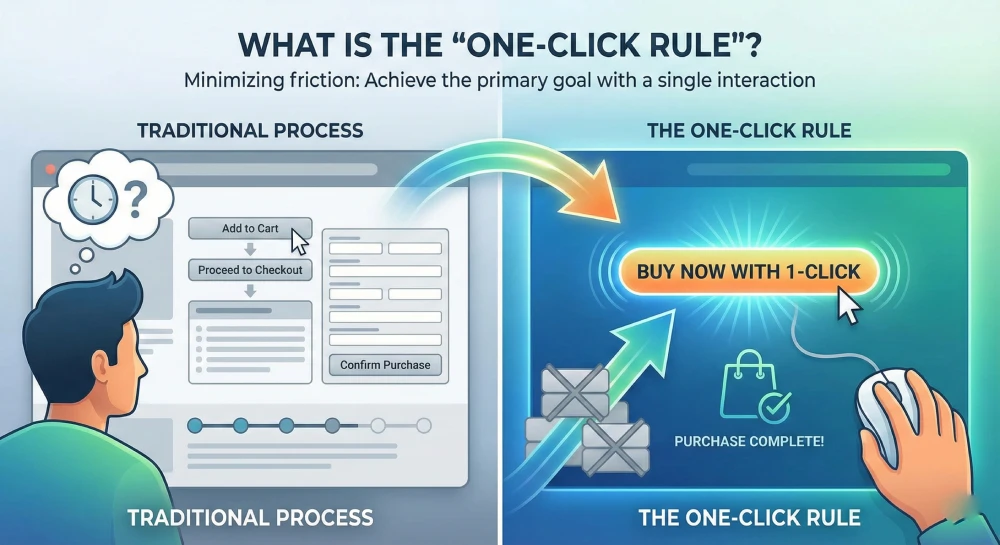
The 'One-Click Rule' is more than just a guideline for layout - it’s about making things smooth. Not everything needs to sit behind only one click, that’d be messy. Instead, focus on what users care about most. Get them there fast, without confusion or extra steps. A clear path beats clutter any day.
Your site’s layout should guide people smoothly through each step - using clear menus that flow naturally from one page to the next, so visitors don’t get stuck or confused along the way.
Smart navigation means picking better links - not just adding them. This shows you how.
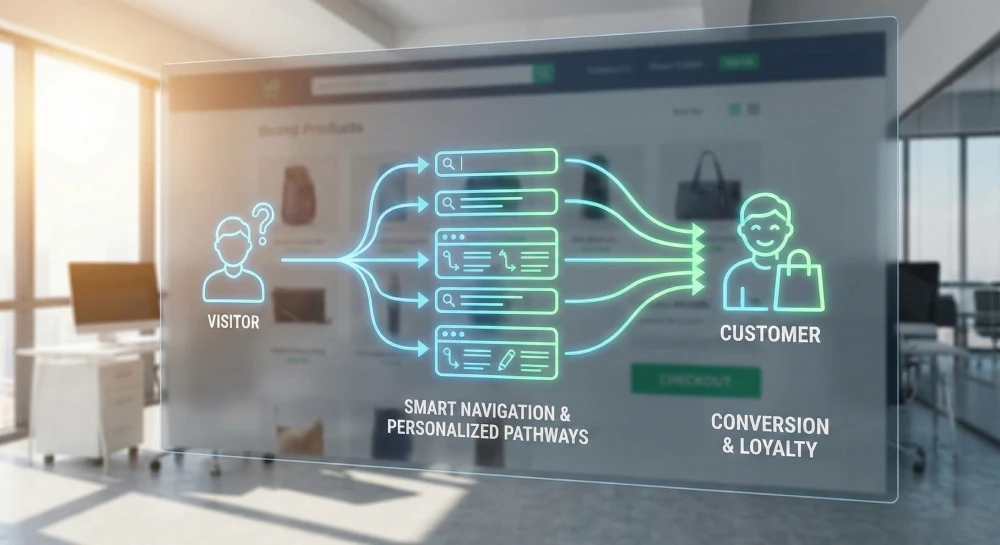
1. Simplify Your Main Menu (The "Rule of 5")
Dump that 10-option list - big companies might handle it, but you’re not one. Most smaller shops? Just stick to four or maybe five key items up front.
Bad Menu: Home | About | Our Team | Services | Service 1 | Service 2 | Blog | Contact
Good Menu: About | Services | Blog | Contact
All your services sit neatly on a single main page titled 'Services'. The team details go on the 'About' section instead. That setup feels tidy, straightforward - no confusion or overload
2. Your Call-to-Action (CTA) Is Not a Menu Item
This one error trips up tons of small business sites. Instead of highlighting 'Get a Quote' like it matters, they bury it in a menu alongside less vital links.
Your CTA isn't just a link - it’s meant to be a button. So make it stand out with a unique color, not blended in. Use clear spacing so it pops from everything else around it. Keep it bold, noticeable above anything else visible.
Hiding "Book Appointment" inside the menu? Not a good move.
Great move: putting a bold "Book Appointment" button where it’s easy to spot - top right, on each page you visit.
This’s what you’re aiming at with that single click.
3. Use Your Footer as a "Second Menu"
"But what about all my other pages? My 'Careers' page? My 'Privacy Policy'?"
Drop 'em down at the bottom.
Your site’s bottom section works like a catch-all spot - toss in those extra links users might want, just not up front. That way, your top menu stays focused - yet everything useful? Still there.
4. Speak Your Customer's Language
A messy site isn't only frustrating - it hits your wallet too
It tanks your sales - each added step might make users bail. A single unclear move could lose them fast.
It damages your SEO: if people leave quickly, puzzled, Google sees your site as weak - so your ranking drops.
A cluttered website looks sloppy - so people won't believe in it. Poor design pushes visitors away, making them doubt your credibility.
This is the fundamental difference between a generic website template and a custom-designed website.
A template? It’s just space for links. Over at ItsProWebsite, we map out how customers move step by step. First question: what should they do when they land? From there, every part - menus, buttons, pages - nudges them toward that key move. No clutter. Just clear paths leading to results.
Tired of leaving people puzzled? It’s time to create a site that works - clever, clean, built to get results.
The one-click rule focuses on helping users reach important information or actions with minimal effort, reducing friction and improving user experience.
Clear and intuitive navigation helps users find what they need faster, builds trust, and increases the likelihood of taking actions like enquiries, sign-ups, or purchases.
Yes. Google uses page speed and Core Web Vitals as ranking factors. A slow website can struggle to rank well, even if the content is strong, while faster sites are rewarded with better visibility.While not every action can be done in one click, the goal is simplicity. Service pages, contact details, and key CTAs should always be easy to access.
Overcrowded menus, unclear labels, too many dropdown levels, and hiding important pages often confuse users and lead to higher bounce rates.
981 Main St West, Hamilton, ON L8S 1A8, Canada.

Priyank Patel is the Founder & CEO of HRINFOCARE Limited. With over 20 years of experience in web development, software solutions, AI integration, SEO, and business automation, he has helped companies across Canada, the United States, and internationally build scalable digital solutions.
Unlike traditional agencies where consultations are handled by sales representatives, your strategy session is conducted directly by Priyank, providing practical business and technical guidance based on real-world experience.

